Ragdoll Realism Guides Hub
Sandbox experiments, Survival waves, Cash unlocks, and controls—every how-to in one place.
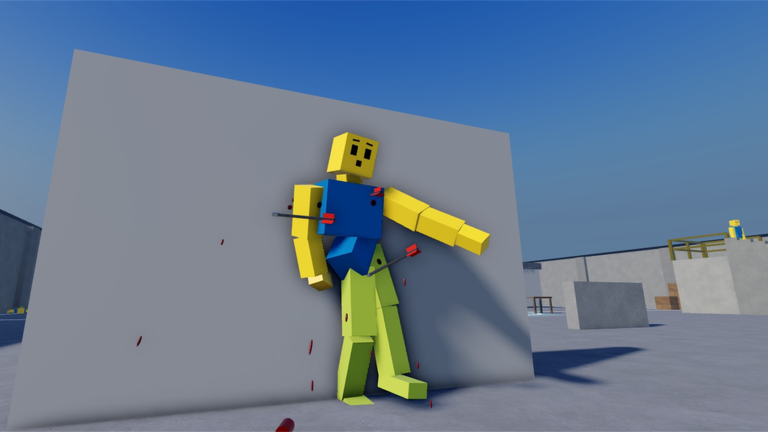
Welcome to the Ragdoll Realism Guides Hub. This Roblox physics sandbox by IsFluxHere lets you test guns, melee weapons, throwables, and physics tools on ragdoll dummies, fight zombies in Survival, earn Cash toward unlocks, and—after later updates—jump into PvP, scenario missions, and co-op sessions. Use this hub as your map: every guide below is written for real search intent (how to play, controls, Cash, Sandbox) and cross-links so you never dead-end mid-session.
Start here if you are new
If this is your first join, open Getting Started first. That walkthrough covers the core loop, mode choice, early Cash goals, Settings customization, and what to unlock before you chase endgame toys. Pair it with the mid-article video embedded there so you can see the feel of the physics before you invent your own experiments.
Next, skim Controls so movement, camera, and tool use feel natural on PC or mobile. Ragdoll Realism sits on top of standard Roblox input; the controls guide explains what to expect, how Settings and visual effects fit in, and how Sandbox Pack time tools change the pacing of a test once you unlock them.
Core progression guides
Cash is the currency that unlocks weapons and the Sandbox Pack. Both Sandbox and Survival earn Cash while you play, so you do not have to force yourself into a mode you dislike just to progress. Read How to Earn Cash for farming habits, spend priorities, and why grinding without a unlock plan wastes time.
When you want freeform experiments—dummy launches, weapon comparisons, physics toys—use Sandbox Mode. That page explains what Sandbox is for, how it differs from Survival pressure, and how the Sandbox Pack (time controls plus custom dummy spawning) upgrades your lab once Cash allows it.
Modes and why they matter
Sandbox is the open lab: spawn or find dummies, equip tools, and watch ragdoll physics react. Ideal for learning weapon feel and recording clips.
Survival throws zombie waves at you while still paying Cash. Ideal if you want combat pacing and clearer “I survived another wave” goals.
Later content added PvP and Scenarios such as Stop the Intruders (clear a house and rescue hostages before the timer) and Ambush Escape (fight through a guarded compound, grab weapons, reach the exit). A Multiplayer + Content update also introduced co-op invite sessions (up to four players). When those modes are live on your client, treat them as optional layers on the same Cash and weapon systems—not as a separate economy.
How this hub fits the rest of the wiki
Guides answer “how do I…?” questions. For promo strings, see the Codes Hub (as of November 2026 there are no confirmed working Ragdoll Realism codes—do not paste strings from unrelated ragdoll games). For arsenal rankings, open the Weapons Tier List Hub. For patch context, use the Updates Hub. Community tooling and safety notes live on the Scripts Hub. Creator and roster context sits under Players.
Settings and playing with friends
After the basics click, two guides answer common mid-session questions. Settings & Visual Effects explains how to tune visual style and effects so limb hits stay readable on PC or mobile without inventing fake slider names. Use a clean profile for Survival, PvP, and timed scenarios; save richer looks for Sandbox clips when frames allow.
Play With Friends covers invite co-op after the November 6, 2026 Multiplayer + Content update: up to four players per session, listing-vs-live UI quirks (some pages still look solo), troubleshooting when friends cannot join, and mode tips for shared Sandbox, Survival, Stop the Intruders, and Ambush Escape. Cash stays per-player—co-op does not create a shared bank.
Suggested reading order
- Getting Started — join, pick a mode, set a first Cash goal.
- Controls — movement, tools, Settings, Sandbox Pack timing.
- How to Earn Cash — farm without burning out.
- Sandbox Mode — run deliberate physics tests.
- Settings & Visual Effects — readability and performance presets.
- Play With Friends — invite co-op once you want a squad.
- Cross-check unlock priorities on the Weapons Tier List Hub and watch Updates after major patches.
Writing standards on this wiki
Every leaf guide aims for depth (roughly 600+ English words), includes FAQs, and uses locale-agnostic internal links with trailing slashes. We do not invent codes, fake YouTube IDs, or copy economy strings from other experiences. Game terms stay in English: Cash, Sandbox, Survival, Sandbox Pack, PvP, Stop the Intruders, Ambush Escape.
Bookmark this Guides Hub, favorite the Roblox experience, and follow IsFluxHere so you hear about new modes and any future code drops. Then jump into the guide that matches the question you typed into search—and come back when the next update lands.
Frequently Asked Questions
Quick answers to the most common Ragdoll Realism questions.
Which Ragdoll Realism guide should I read first?
Start with Getting Started, then Controls and How to Earn Cash. Open Sandbox Mode when you are ready for freeform experiments.
Do Sandbox and Survival both give Cash?
Yes. Both modes earn Cash as you play, so you can unlock weapons and the Sandbox Pack in whichever mode you enjoy.
Where do codes, tier lists, and scripts live?
Codes Hub for promo status, Weapons Tier List Hub for rankings, Scripts Hub for community tools and safety notes, and Updates Hub for patch history.
Is multiplayer supported?
Yes. Read Play With Friends for invite co-op (up to four players). Public listings can still look solo—confirm in the live client after the Multiplayer update.
Where do I tune visual style and effects?
Open the Settings & Visual Effects guide. Lower effects on weak devices and keep limb reactions readable for Sandbox study or scenario timers.